Digital Marketing

Learn Digital marketing here.

19 Free Advertising Tips for Your Small, Large, or Local Business

When you work at a small business with a limited budget, it’s not really possible to shell out $340,000 for a 30-second TV commercial or $10,000 for an email marketing campaign. It can be frustrating when your budget dictates how many people your business can reach. Here are some free and inexpensive ways to promote your local business:  How to Advertise a Local Business How to Get Free Advertising How to Advertise on Google for Free How to Advertise a Local Business Use Google My Business to optimize for local search. Check out Yext. Network at in-person events when possible. Speak at an association or local event. Put up brochures or flyers. Run geo-targeted Facebook ads. Invest in direct mail campaigns. 1. Use Google My Business to optimize for local search. One of the most powerful free ways to advertise your business is through Google My Business, which enables companies to manage their presence on Google Search and Google Maps. The tool can bolster your rankings in local search results. Ranking high in local search shows you’re a legitimate and relevant company: you wouldn’t rank #1 in Google for “pizza places near me” if you’d closed down six months ago. Plus, if you rank high in local search, more consumers will choose your business over a competitor’s. In today’s fast-paced world, convenience is key. Click here or scroll to the bottom of this post to learn how to advertise on Google for free. 2. Check out Yext. The more places your business is listed online, the better your chances of showing up in search results, and the easier it is for potential customers to find you. To ensure great local SEO, the details of your listings on every website and online directory need to match up. For instance, if your website lists your company’s new phone number, but Yelp lists your old one, this inconsistency could hurt your SEO. Yext scans the web to find every place your business is listed, so you can tweak your listings to guarantee accuracy. 3. Attend networking events and mixers. Connecting with fellow professionals at industry networking events is a great opportunity to meet potential consumers in a place where they are eager to discuss your business. The niche topics of networking events ensure you’re meeting high-qualified leads. For example, a “Best Technology Startups of 2020” event will primarily be filled with participants who are interested in technology and startups. Particularly for small businesses looking to make their first connections, networking is a chance to get your name out there, meet potential partners, and find opportunities for growth. Plus, it’ll keep you up-to-date on trends in your industry. 4. Speak at an association or local event. Similar to networking, speaking at an event about a topic related to your industry is another way to exhibit your expertise. Giving a thought-provoking and powerful speech will draw attention to you and, by association, your business, which can increase brand awareness and prove your business is qualified to tackle consumer’s challenges. To start, brainstorm different topics and volunteer at various upcoming networking events and trade association conventions. If you’re afraid of public speaking (don’t worry, a lot of us are), you could enroll in a local Toastmasters chapter to improve your game. 5. Put up brochures or flyers. Putting up brochures or flyers in local libraries, coffee shops, and businesses is a unique way to market to offline locations where people spend a good deal of their time. You can create free brochures and flyers on PowerPoint or Canva. Depending on your industry, it might even help you reach an ideal clientele: if you’re a physical therapist, for example, perhaps you could hand out brochures to local gyms or nearby hospitals. 6. Run geo-targeted Facebook ads.  Facebook has more targeted advertising capability than any other platform. In addition to being able to advertise to a certain type of consumer based on interests or job description, you can target people who fit that criteria in a certain location.  By putting a few dollars per day behind a geo-targeted Facebook campaign, you’ll build up a local following over time. Be sure to continue posting great content as well to keep this new audience engaged.  7. Invest in direct mail campaigns.  With direct mail, you’ll know that the right audience in your nearby area is receiving your promotions.  While a single batch of mailers may not be enough to drive tons of business, doing frequent distribution campaigns will increase the number of impressions you make on your audience, which in turn drives brand awareness and keeps you top of mind.  Surprisingly, there are also a lot of free ways to supplement your paid advertising efforts. By incorporating free advertising tactics into your strategy, you can remove some nonessential costs and dedicate your budget to deeper, more long-term plays. In fact, we suggest some of these methods regardless of your budget. To help you spread the word about your business without breaking the bank, we’ve compiled a list of ways to get advertising for free. How to Get Free Advertising Write guest posts for other blogs. Answer Quora questions. Publish content on LinkedIn. Offer to do interviews on other business’ podcasts. Promote your website on your email signature. Send email newsletters. Do a free product giveaway or contest. Create YouTube videos. Take advantage of your partnerships. Post on social media. Experiment with photo and video platforms. Encourage happy customers to give online reviews. 1. Write guest posts for other blogs. There are a few major advantages to guest posting for a well-established blog. You can benefit from connecting to that blog’s audience, and you can also start establishing yourself as a thought leader in your industry. Since guest posting on a popular blog allows you access to an established audience and high domain authority, this practice can sometimes be more beneficial than posting to your own blog. Plus, you can link back to your own website from your article, giving

19 Free Advertising Tips for Your Small, Large, or Local Business Read More »

Bayesian A/B Testing: A More Calculated Approach to an A/B Test

What are some of the reasons you run an A/B test? When I think of the benefits of A/B testing, I think of one of the most popular and concrete ways to experiment with ad designs that are effective for target audiences. I think of how changing one simple element can be the deciding factor for customers, and that running a test will help me figure out the preferred design. Up until recently, I thought that there was only one kind of A/B test. After all, the definition itself is pretty straightforward. Then, I came across a different kind of A/B test. This method still involves testing variants to discover the preference of an audience, but it involves more calculation, and more trial and error. This method is called Bayesian A/B testing, and if you want to take a more specific, tactical approach to your ad testing, this might be the answer. But first, let’s talk about how Bayesian A/B testing is different from traditional A/B tests. Bayesian A/B Testing There are two types of A/B tests: Frequentist and Bayesian. Every A/B test has the same few components. They use data, based on a metric, that determines variants A and B. For example, a metric can be the amount of times an ad is clicked. To determine the winner, that metric is measured statistically. Let’s apply this to an example of using the frequentist, or traditional, approach. In this scenario, you would design two ads and change one variable, such as the copy of the ad. Then, pick the metric, like the amount of times an ad is clicked. The winner of the frequentist A/B test in this example would be which ad was clicked the most by your target audience based solely on results from that experiment. If you were to illustrate these components in a Bayesian A/B test, you would approach the test using different data. That definition can sound a little difficult to visualize without an example, so let’s go over one. If your previous ad on Facebook drew 867 unique visitors and acquired 360 conversions, earning a 41% conversion rate, you would use that data to inform an expectation. If you were to figure that your next Facebook ad reached 5,000 unique visitors, you could infer that you’d earn 2,050 conversions based on that prior experience. This would be variant “A.” Let’s say you look at a similar Facebook ad’s performance and ultimately earned a 52% conversion rate. This is variant “B.” What you have done by collecting the data from the two variants is to calculate the posterior distribution, and the previous tests you’ve run have now become the ground for your Bayesian test. If, before calculating the posterior distribution, you had inferences about conversion rates earned from each variable, you can now update them based on the data you’ve collected. You can ask hypothetical questions about your test, such as “How likely is it that ‘B’ will be larger than variant ‘A’?” In this case, you can infer that the answer to this is 9%. Then, the trial and error portion begins. Bayesian methodology makes decisions by doing some inference. You can calculate expected loss by the rate your metric decreases when choosing either variable. Set a boundary, such as 2%, that the metric should drop below. Once you have collected enough data to support that a variant dropped below 2%, you’ll have your test winner. Because your inferred loss for a variant is the average amount of what your metric would decrease by if you chose said variant, your boundary should be small enough to comfortably suggest making a mistake that large. The methodology suggests that you are more willing to make a mistake of a certain amount, then move on to a more refined experiment instead of wasting time on a mistake that dropped below that threshold. If you were to run two experiments, they would stop when the expected loss is below that 4% boundary. You would use the values of your variants to calculate your average loss. Then, you would begin the test again using these values as your prosperity distribution. Bayesian A/B testing proves that you can make a business decision that won’t fall below that boundary you set. You can use the data you’ve collected to continuously run tests until you see metrics increase with each experiment. When you use Bayesian testing, you can modify the test periodically and improve the results as the test runs. Bayesian A/B testing uses constant innovation to give you concrete results by making small improvements in increments. You don’t have to use inference as a result, but instead, use it as a variant. If you’re running A/B tests on software or different channels, you don’t have to change them to run a Bayesian A/B test. Instead, you can look at the tools you have at your disposal in that software to give you more calculated results. Then, you can continuously run those tests and analyze them to pick your winners. You might use a Bayesian A/B test instead of a traditional A/B test if you want to factor in more metrics into your findings. This is a really good test to calculate a more concrete ROI on ads. Of course, if you have less time on your hands, you can always use a frequentist approach to get more of a “big picture” conclusion. Whichever method you choose, A/B testing is popular because it gives you an inference that can be useful for you in future campaigns.

Bayesian A/B Testing: A More Calculated Approach to an A/B Test Read More »

Google AMP Helps You Make Stunning Web Experiences. Here’s How.

Earlier today, I learned about a type of page that would load “almost instantaneously.” Well, with a rap like that, I had to test this out for myself. So, I went to Tasty, a cooking website, on my desktop and on my phone to test the loading times for each. The homepage for both took one second to load and display. That was impressive. Source When comparing the mobile homepage and desktop homepage, I saw that the images and layouts were optimized perfectly. This checked off another item on my list. Source And finally, when clicking on a recipe, I was greeted with a video demo, in perfect quality. This was unexpected and entirely welcoming. That was the moment I regarded Google AMP as an awesome tool for sophisticated, compelling websites. Google AMP pages can help you design ecommerce pages, compelling advertisements, and thrilling mobile experiences by hosting pages that load almost instantly. For instance, Gizmodo found their pages loaded three times faster and Mashable saw a 200% increase in average CTR. Source As a user, my experience with Google AMP pages was spectacular. So, let’s dive into AMPs: How they work, what they are, why they’re amazing for businesses, and how you can create one of your own. Unlike other AMP, Google’s integrates with the website’s many channels, such as Search, AMP Cache, and Analytics. As well as being able to integrate with Google’s channels, you can monetize AMP HTML framework with Google’s ad suite (Ads, AdSense, and AdManager). AMP is a great choice to improve core business metrics, such as the number of conversions on web pages. AMP pages load almost instantly across all devices. AMP also lets you convert your entire website archive in days if you use a popular CMS, such as WordPress or HubSpot. Another great benefit for businesses using Google AMP is that the AMP framework is used by popular global sites like Bing and Twitter and allows you to create a seamless, native experience. Essentially, if your AMP website content has a link to Twitter, for example, the tweet would embed in your web page and users wouldn’t have to leave to see the tweet. Now that we’ve covered the basic definition of AMP and why it’s great for businesses, let’s go more into depth about how AMP works. How Google AMP Works In this section, I’ll talk about how AMP pages are able to load so quickly. There are seven reasons in total, and you can find an explanation on this page uploaded by a Google AMP Developer. 1. AMP pages load all of the page’s content at once. AMP makes all components of a web page load at the same time. This differs from a non-AMP web page feature of assets loading one by one. AMP pages don’t allow any custom JavaScript that could interrupt that simultaneous loading time. AMP uses iFrames, which doesn’t block the main page from rendering and only allows asynchronous JavaScript. AMP might have some JavaScript in the background, but they are designed very carefully to make sure they don’t slow performance. 2. The layout of AMP pages is known to browsers beforehand. In a non-AMP page, the web browser, like Google or Firefox, doesn’t know all the components of a web page until it’s fully loaded. In AMP, all external images or site frames must state their size in the HTML. This is so the browser knows how much it will be loading before the download initiates. This allows AMP to load all of the content of the page without having to wait for other elements or resources to download. This is called “static layouting” and is a crucial element of AMP. 3. The CSS is in-line and size bound. In AMP pages, only one stylesheet is needed: inline. This removes multiple HTTP requests from the rendering path. HTTP is designed to enable communication between web browsers and servers. The removal of multiple HTTP requests streamlines the communication browsers and servers needed to have in order to fully load the page. Additionally, inline stylesheets have a data max (50 kilobytes) that allows content to be sophisticated but easy enough to comply with CSS rules. 4. Web fonts are super large, so AMP pages download them first. The optimization of fonts being used on web pages is a crucial element of page performance. On a non-AMP web page with few scripts and stylesheets, the browser has to wait for them to download before downloading fonts. The AMP doesn’t require HTTP requests to start until the fonts begin to download. This is possible because of reasons one and two. So with AMP, there’s no HTTP communication blocking the browser from downloading fonts. 5. AMP pages minimize style and layout recalculations. Each time something on a page is changed, the browser has to recalculate downloading the page. A non-AMP page doesn’t load all elements simultaneously, so the browser doesn’t know the layout of the page as it’s downloading. This can be a problem, because in traditional pages multiple scripts and sheets are being used to execute many dynamic functions at once. When this happens, re-layouts may occur and end up looking unattractive to users. But because AMP has the power to simultaneously download content and rendering, it also has the ability to read, comprehend, and implement those changes seamlessly. 6. The power to load images is shifted from the CPU to the GPU for acceleration. Instead of using your computer’s processor, or CPU, to generate the images for your page, AMP uses the GPU, or graphic processor, which is more efficient. This frees up the work the CPU has to do, making the page run and load faster. When the CPU makes images, it creates layers, then sends them over to the GPU for further changes. For instance, the GPU can then shrink, enlarge, rotate, or crop images. 7. Resource downloading is a top priority for AMP pages. When an AMP page starts downloading, it begins to optimize

Google AMP Helps You Make Stunning Web Experiences. Here’s How. Read More »

Deals Closed Rise Significantly as May Comes to an End [COVID-19 Benchmark Data]

For the last few months, businesses around the world have had to rapidly adapt to the impact of COVID-19. In a time where it seems like things change every day, it can be difficult to gauge whether the challenges your business is facing are widespread. That’s why we’re publishing week-over-week benchmark data for core business metrics like website traffic, email send and open rates, sales engagements, close rates, and more. These core metrics are split by region, company size, and industry cuts, so you can explore data for companies most similar to yours. You can find the data, and more context on the dataset and sources, here. Because the data is aggregated from our customer base, please keep in mind that individual businesses, including HubSpot’s, may differ based on their own markets, customer base, industry, geography, stage, and/or other factors. These insights are refreshed every Thursday morning ET, and will be accompanied by this short writeup. You can find past writeups using this timeline. We hope to establish useful benchmarks to measure your business against, and serve as an early indicator of when short- or long-term adjustments may be needed in your strategy. What We’re Seeing Here are the three key takeaways from the most recent week’s data: 1. Deals closed rise significantly as May comes to an end. Deal creation remains flat with NORTHAM experiencing a small setback. Last week, we were deeply concerned that the positive momentum we were seeing for deals closed was lost. This turned out to be an aberration, as this week we saw a 24% increase in deals closed and posted the most deals closed-won since pre-COVID. Both the APAC and LATAM regions had a positive week, and are now at or just below the benchmark for deals closed. The industries leading the charge with the most closed-won deals last week were computer software, consumer goods, and manufacturing. They’re all now sitting at or just below the benchmark as we come to the end of May. See More On the other hand, global deal creation didn’t gain momentum last week hanging at 12% below pre-COVID levels. NORTHAM recorded an 8% drop in deal creation as every other region either saw an increase in deals created or remained consistent with the week of May 18. As the initial reaction to current events settle and more states in the U.S. continue to reopen their economies, we’ll look for this metric to bounce back in the coming weeks. The drop in deals created affected nearly all industries, except human resources and entertainment, which both saw small increases last week but are still below pre-COVID levels. As of now, the only industry that’s trending above the benchmark is construction, which sits 16% above pre-COVID levels. Consumer goods, computer software, and manufacturing have all fallen back below the benchmark after trending slightly above it in early May. These industries are now roughly 10% below pre-COVID levels. They’re still in a safe spot and are positioned nicely to have positive performances in June. 2. Sales teams send fewer emails, email engagement continues to grow slowly, and marketing metrics remain strong. While sales email volume is still trending 39% above the benchmark, it’s dropped 18% in the last two weeks. Sales teams sent fewer emails as they seemed to be focused on closing deals toward the end of May. Accordingly, email engagement increased 3% last week and continues to be on a slow — but steady — rise since late April. It’s now sitting at 26% below pre-COVID levels. See More After increases in early May, call prospecting continues to drop recording a 6% decrease following the Memorial Day holiday in the US. It’s now fallen back to 22% below pre-COVID averages as reps continue to struggle with connecting on multiple channels as well as bringing a balanced approach to outreach efforts. This is consistent across all company sizes and fairly consistent across global business regions. The only region that made more sales calls last was EMEA, which saw a 7% increase but this region is still making fewer calls than any other. While the number of meetings booked fell for the second week in a row, it’s sitting significantly above pre-COVID levels. Currently, meetings are trending 16% above the benchmark and have been above it since early April. As more businesses open up and companies master the art of social distancing, we should expect sales teams to continue booking online or in-person meetings as an effective way to engage their customers. Email marketing continues to be an effective channel for communication as open rates last week remained consistent with the week of May 18 and are still trending 15% above pre-COVID levels. Marketers did send fewer emails — likely due to the holiday weekend — but, despite this 6% dip, email volume still remains far above the benchmark at 26%. All of the industries we’re tracking are trending above pre-COVID levels, except for travel which seems to be sending fewer emails compared to the rest. See More Other marketing channels, like customer-initiated conversations and web activity, are showing strong numbers as well. The number of conversations initiated last week increased 6% and reached a year-high at 43% above the benchmark. Customers are clearly embracing live chat as this marks the seventh week in a row where global conversations have increased. Website activity is also performing well even though it has trended downward over the past two weeks. It still sits well above the benchmark at 17%. 3. In the United States, sales and marketing metrics fall during Memorial Day weekend. After three weeks of steady performance, deal creation fell 11% last week and is now sitting at 16% below pre-COVID levels. Though deals closed did improve last week compared to the previous one, it’s still trending 15% below the benchmark. Sales email volume dropped 14% while response rates dipped slightly at just 1%. Although sales email volume has dipped over the past few weeks, sales teams are still sending

Deals Closed Rise Significantly as May Comes to an End [COVID-19 Benchmark Data] Read More »

How Dynamic Content Makes Your Marketing More Personal

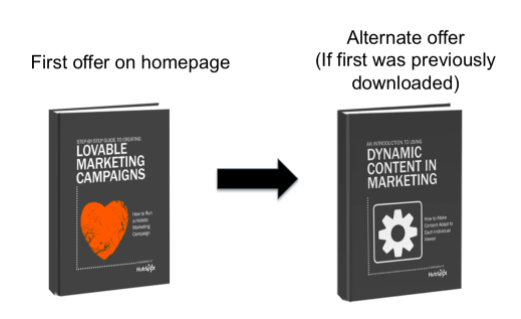
The first time Amazon introduced me to the perfect book for me via their recommendation engine, I was completely awed. The idea that a website could not only recognize a return visitor, but also discern their interests and alter their site experience accordingly felt like nothing short of magic. For instance, when I check Amazon’s site, I can find numerous personalized recommendations just for me, and it still feels like a delight, every time. Since then, data-driven personalization has become more common, though not entirely pervasive in the marketing space — perhaps due to a lack of understanding around how it really works. I mean, just what drives all this highly adaptive content? More than that, how does adaptive content affect a lead’s decision-making process? That’s what we’ll go to in this post. I’ll break down the concept of “smart,” or “dynamic” content, explain what it is, how it works, and give you some strategies for incorporating it into your marketing. First, let’s explain what dynamic content is and why it’s important to use for your business. What is Dynamic Content? Smart content delights customers. When you utilize data-driven content, you can influence a lead’s buyer journey. Let’s talk about what exactly dynamic content means. Dynamic content creates an experience that’s customized specifically for the visitor or reader at that moment. One of the most well-known examples of smart content is Amazon’s recommendation engine, which we talked about earlier. Other forms, however, range from personalization fields in emails to entire images or offers on a webpage that shift based on who is looking at them. For example, let’s say I visit an ecommerce site for the first time. During this first visit, I browse around, click the “like” button on a few products, and maybe purchase something. When I come back a couple of weeks later, the home site has now changed to say “Welcome back, Kayla!”, and recommends items I might like based on my history. Suggested items were chosen based on what I purchased previously, and the information I gave while purchasing, such as my name, was stored by the website’s scripts to create a personalized experience the next time I visited. Dynamic content also works with ads. Earlier this morning, I browsed a cosmetics site I hadn’t visited before. After closing the website, I opened Facebook, and all of my ads were from that company I’d just visited. Facebook chooses ads to show users based on their browsing history and interests, so when I visited that makeup website, Facebook found the ads from that business and displayed them on my feed. Now that we have a deep understanding of dynamic content, let’s take a look at how it works. How Dynamic Content Works The key to dynamic content’s effectiveness is its relevance. This content is developed from data known about the user based on behavior. The data collection works by scripts in a webpage’s HTML that changes to make the page relevant to the user. This data is stored in the site’s database, and is what’s called a database driven website. If a website is database driven, it’s dynamic. This is because most of the content on these websites are stored in its database. The content being stored is user data that’s then used to create personalized experiences. Ultimately, dynamic content is collected from what the user gives the website, such as an email address, first name, or shopping history. This data will be organized and stored in database driven websites with associated values — think of this as a filing system. The website then assess the need of the page and shows the viewer content that’s relevant to the user. There’s two different types of content-based websites, however. Other than database driven, dynamic websites, there’s websites that have its content stored in HTML files, known as static websites. Next, let’s go in deeper about the differences between dynamic and static websites and how they work together. Dynamic content vs static content As we’ve learned, dynamic content is powered by a database driven website. Static websites are powered by websites where the content isn’t stored on a database, rather HTML files. Generally, most are used to static websites. To sum it up, static websites are the ones that don’t recognize user behavior and change to be personalized. Think of pages you visit that don’t change based on your past behavior, such as ecommerce sites that don’t give you suggestions and marketing emails that don’t mention you by name. It might be a good idea to use static pages if you don’t have the time to devote to creating dynamic pages. Additionally, if you want to get more comfortable with running a website, static pages take less time to create, and you can still create a delightful experience for customers if you manage your website using software to manage your pages seamlessly, like a CMS. Even webpages that have a section similar to “Based on people you follow,” like Twitter, are dynamic. There’s awesome benefits to using dynamic websites, for instance, the personalized aspect can help improve KPIs like conversions and return visits. Other benefits include an improved user experience, clean web design, and low maintenance. A page that’s dynamic doesn’t need to be constantly updated — it’ll always be active. Technology dynamic web pages uses to be dynamic include: A Centralized Marketing Database — Your marketing database is the brain behind your dynamic content. It stores your contacts’ download and interaction history with your site. A Smart Content Generator — Informed by the database, a smart content generator will show or hide content (blocks of images or text) based on rules you set. Malleable Web Pages — A dynamic site has to be one that is easily editable and typically marketing-controlled, rather than run through another department like IT. An Integrated Email System — Extending smart content to the emails you send will require an email system that is tied into your contact database. To sum

How Dynamic Content Makes Your Marketing More Personal Read More »

How to Master Content Marketing on LinkedIn

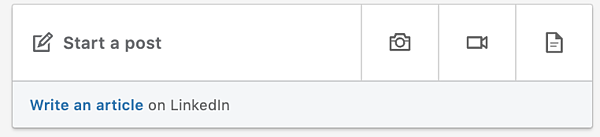
There are a few different avenues for sharing information on LinkedIn, but which one is the best method? And what if you’re not ready to invest in paid advertising? There has to be another option, right? The good news is that there is another option. In fact, there are a couple of ways that marketers can leverage LinkedIn’s platform for content distribution without having to pay for it. Looking to send out short, digestible content? Engage with a status update. Have something long and poignant to say? Publish an article.  To help you get a better handle on where and how to execute a content marketing strategy on LinkedIn, keep reading. I’ve covered everything you need to know from tips on content you should (and shouldn’t) share to how to determine the right frequency for posting.  How to Distribute Your Content on LinkedIn 1. Publish quick status updates. One of LinkedIn’s most underutilized features is the “LinkedIn Status Update” (also called your “Network Update”) in your LinkedIn Profile. This is one of the best ways to stay in front of your target audience on a consistent basis. And when used correctly, these little messages pack a big punch. Your status update “block” is a white box located just below your picture on your homepage. Whenever you share an update, your message is then broadcast to all of your network connections.  You can also control the visibility of your posts before sharing. This means that you can pick and choose which posts you want to share with everyone, share with just your connections, or share with both everyone and your Twitter network. While updates serve as a great place to share your thoughts, linking in a blog post or interesting website will help you to provide an even richer source of insight.  4 Tips for Sharing Updates on LinkedIn  Share links to interesting articles, websites or videos. Use words that grab the readers and encourage them to click the link. Attach a document to your status update. Your audience might appreciate receiving checklists, white papers, or case studies. Job seekers, this is a great place for your resume. Mention a person or situation that might be helpful to some of your connections. For instance, “I just met with @AlexPirouz from @Linkfluencer and found out they’ve just won the readers choice award from Anthill Magazine.” The “@” before an individual or company name allows the reader to click through to that person’s LinkedIn profile or company page. Talk about an event you are attending or have attended. This might encourage involvement and/or questions about what you learned there. 5 Things You Should Avoid When Sharing Updates on LinkedIn  Talking about what you had for breakfast (or your cat). LinkedIn is a professional network. Before you post, make sure that what you’re sharing is relevant to your audience and provides value. While your pancakes this morning may have been delicious, this isn’t the place for it.  Being a spammer. While it may be acceptable to post 20 times a day on Twitter, the landscape of LinkedIn is a little different. To avoid coming off as spammy, try to limit your updates to no more than a couple times per day. Talking about sensitive topics. I am too embarrassed to even think about, let alone share, some of the items I see posted as status updates. If your mother wouldn’t want you talking about it, don’t include it in your status. Continually pitching products and services. This takes people back to the days of big newspaper ads and screaming radio messages. This is not the purpose of social media, especially LinkedIn.  Don’t bother posting when no one’s looking. The update you posted at 11:30 p.m. on Friday probably won’t get much traction. Try to align your posting schedule with the business hours in which people in your industry operate. Of course, this varies if you have a global audience. 2. Publish and share an article on LinkedIn Another powerful way to distribute content on LinkedIn is through the publishing platform. With all members now having access to the platform, it serves as a great opportunity to expand your reach in a major way.  I was first made aware of this feature when a friend of mine posted an update on Facebook mentioning how his article on LinkedIn managed to achieve over 6000 views and 550+ shares in little over 10 hours. I was intrigued, so I decided to conduct an investigation to see how it all worked. I decided to test it out by publishing one of my articles, “5 Things All Great Leaders Have In Common.” Given that it was my first time publishing on the platform, I had no idea what to expect. However, what happened next totally blew me away … Within a matter of minutes I started receiving invitation requests and messages on LinkedIn from members who had came across my article.  Within a matter of hours the article had gone viral — achieving over 70K views, 11K+ shares, and close to 500 comments. Over the years, I have written hundreds of business articles but none of them had achieved the exposure and interaction that this one did.  In addition to the exposure, I also managed to secure a few speaking engagements and an opportunity to coach clients for our business advisory firm.  And while the article continued to gain traction as time went on, I couldn’t help but think that it was too good to be true. Unable to shake this thought, I decided to publish a few more articles over the coming weeks. Whilst none of them achieved the level of exposure my first article received, each article has now reached 10k+ views, 1000+ shares and 100+ comments on average. If my success story wasn’t enough to sell you on the value of this platform, maybe the following benefits will. 3 Key Benefits of Publishing Long-Form Posts  Targeted audience. Considering a majority of your connections are like-minded professionals, it’s easy select topics that will resonate. This type of shared interest provides an opportunity to

How to Master Content Marketing on LinkedIn Read More »